Interlude.Compute.Field
In Depth
Compute.Field(key)
The current value of another field, passed through unchanged.
The counterpart to Compute.Constant: where that supplies a fixed number to a calculation, this supplies a live one. Together they are how the two sides of Compute.Arithmetic and the branches of Compute.If get filled in.
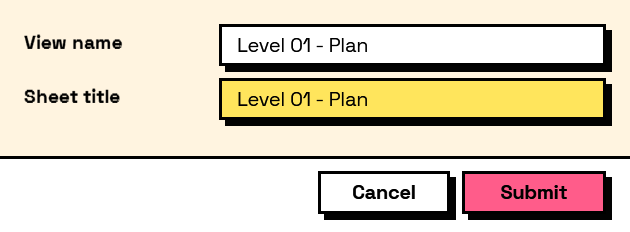
On its own it mirrors one field into another, which is worth doing when the same answer needs to be visible in two places on a long form.
The inputs are:
key(string) — The field to read.
Returns computation — The computation.
Search terms: field, value, reference, copy, mirror.
About the Compute nodes
Values worked out from other answers, for use with Behavior.WithComputed.
A computed field is driven by the form rather than by the user: it recalculates whenever anything it reads changes, in dependency order, so a total built on a subtotal is always consistent. Computed values that depend on each other in a loop are rejected when the form is built, before a window appears.
Example File
An example graph ships beside this page: Interlude.Compute.Field.dyn

The form it builds: