Interlude.Form.WithOptions
In Depth
Form.WithOptions(form, key, items: null, displayNames: null)
Replaces the options of one choice field in a form that already exists.
This is what makes a form loaded from JSON usable with live model data. A checked-in form cannot carry Revit elements — they do not exist in another model, and saving them writes their names and says so — so the file holds the layout, the labels, the conditions and the validation, and the graph fills in the one field whose contents only the model knows:
Form.FromJson ──► Form.WithOptions(key: "levels", items: levels) ──► Form.ShowDefinition
The options behave exactly as they do on Input.DropDown and Input.ListBox, because they are the same options: the values go in whole and the selected one comes back as itself, not as its display name.
Keys are resolved before the field is looked for, so a field that derives its key from its label can be named by that derived key — the same one the results come back under.
Chain the node once per field. It returns a new form and changes nothing in place, so the definition loaded from the file is still there to be shown a second time.
The inputs are:
form(FormDefinition) — The form to fill in, usually straight fromForm.FromJson.key(string) — Which field to fill in. Must be a drop-down, radio group or list box.items(list of object, defaults tonull) — The values to choose between. Can be any objects.displayNames(list of object, defaults tonull) — What to show for each item. Falls back to each item's own text.
Returns form — The form, with that field's options replaced.
Search terms: options, items, fill, hydrate, revit, elements, json, dropdown, listbox.
About the Form nodes
Showing a form and getting the answers back.
A note on re-execution, because it surprises everyone once: Dynamo re-runs a graph whenever anything upstream changes, and a node that shows a dialog will show it again. Interlude does not pretend otherwise — it gives you the tools to control it. The trigger port skips the dialog and returns the last answers when it is false, so a form can be gated behind a button or a boolean. A form already on screen is never opened twice: a second execution waits for the first window and returns its result rather than stacking dialogs. And Manual run mode remains the right setting for any graph built around a form.
Example File
An example graph ships beside this page: Interlude.Form.WithOptions.dyn

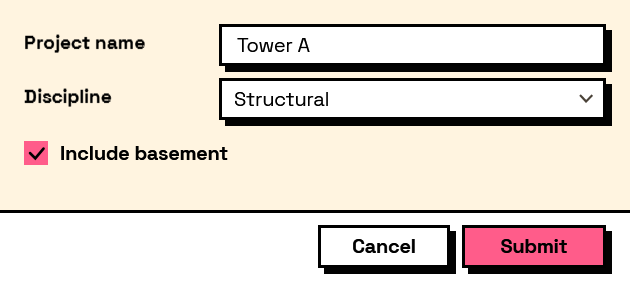
The form it builds: