Interlude.Layout.Spacer
In Depth
Layout.Spacer(size: 8)
Blank space, for when two things need to be further apart than the theme puts them.
The escape hatch, not the tool. Spacing between fields is the theme's job — set it once with Theme.Create's density and every form in the office agrees — and a form held together by hand-placed gaps has to be re-tuned whenever anything above it changes.
Its real use is horizontal: inside a Layout.Row, a spacer pushes what follows it to the right.
The inputs are:
size(number, defaults to8) — How much space, in pixels.
Returns element — The form element.
Search terms: spacer, gap, space, padding.
About the Layout nodes
Arranging and decorating a form: sections, rows, grids, tabs, and the elements that show something rather than ask something.
Every container takes a list of elements. None of them has a single-element overload, on purpose: with both available, a graph that passes one element to a list port gets replication instead of a container, and produces N containers of one child each rather than one container of N. Pass a list, even a list of one.
Example File
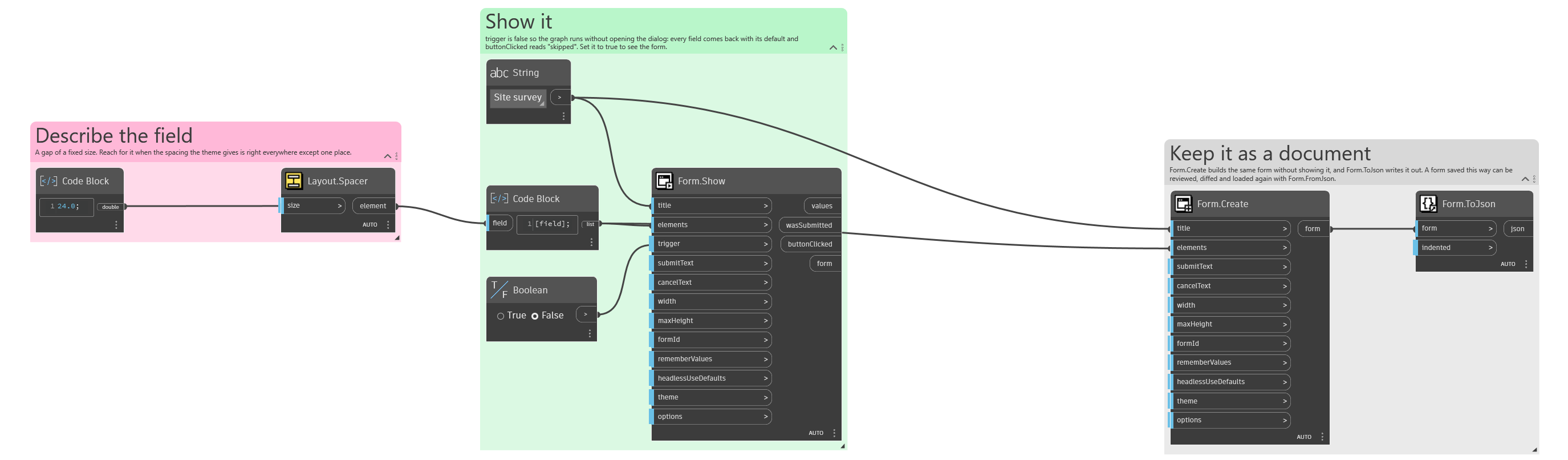
An example graph ships beside this page: Interlude.Layout.Spacer.dyn
The form it builds: