Interlude.Layout.Tabs
In Depth
Layout.Tabs(pages, selectedIndex: 0)
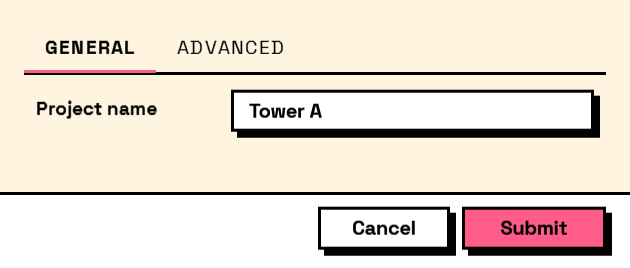
A tab strip, for a form with more in it than fits on one screen.
Its children should be Layout.TabPage elements; anything else lands on an unnamed page. Every field on every page is part of the same form and comes back in the same answers — tabs divide the screen, not the results.
Worth knowing before choosing tabs over sections: a field failing validation on a page the user is not looking at will block submission, and the error is on the other page. Keep fields that validate against each other on the same tab.
The inputs are:
pages(list of FormElement) — The pages, built with Layout.TabPage.selectedIndex(integer, defaults to0) — Which page is shown first.
Returns element — The form element.
Search terms: tabs, tabcontrol, pages, notebook.
About the Layout nodes
Arranging and decorating a form: sections, rows, grids, tabs, and the elements that show something rather than ask something.
Every container takes a list of elements. None of them has a single-element overload, on purpose: with both available, a graph that passes one element to a list port gets replication instead of a container, and produces N containers of one child each rather than one container of N. Pass a list, even a list of one.
Example File
An example graph ships beside this page: Interlude.Layout.Tabs.dyn

The form it builds: