Interlude.Theme.Light
In Depth
Theme.Light(accent: "")
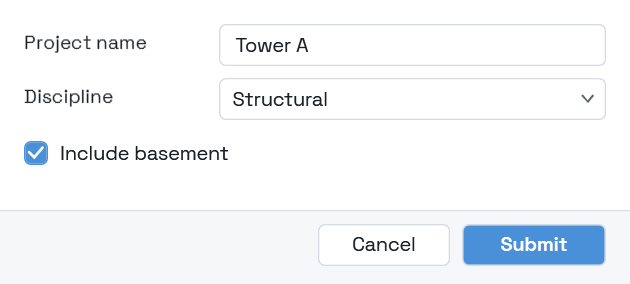
A light theme — the conventional one: hairline outlines, rounded corners, no shadows.
The way out of the neubrutalist default, and the right choice for a form that should look like part of the software around it rather than like a thing of its own. Corporate deployments usually want this.
Give an accent to brand it. The text drawn on that accent is chosen automatically by contrast, so a bright colour still reads.
The inputs are:
accent(string, defaults to"") — Accent colour as hex, such as "#2F6FEB". Empty keeps the default.
Returns theme — The theme.
Search terms: theme, light, bright, day.
About the Theme nodes
How a form looks. Feed the result into Form.Show's theme port.
A theme is applied to the form's own window and nowhere else. Interlude runs inside Revit and inside Dynamo, and restyling a host application from a package would be an unwelcome surprise no matter how good the styling was.
Example File
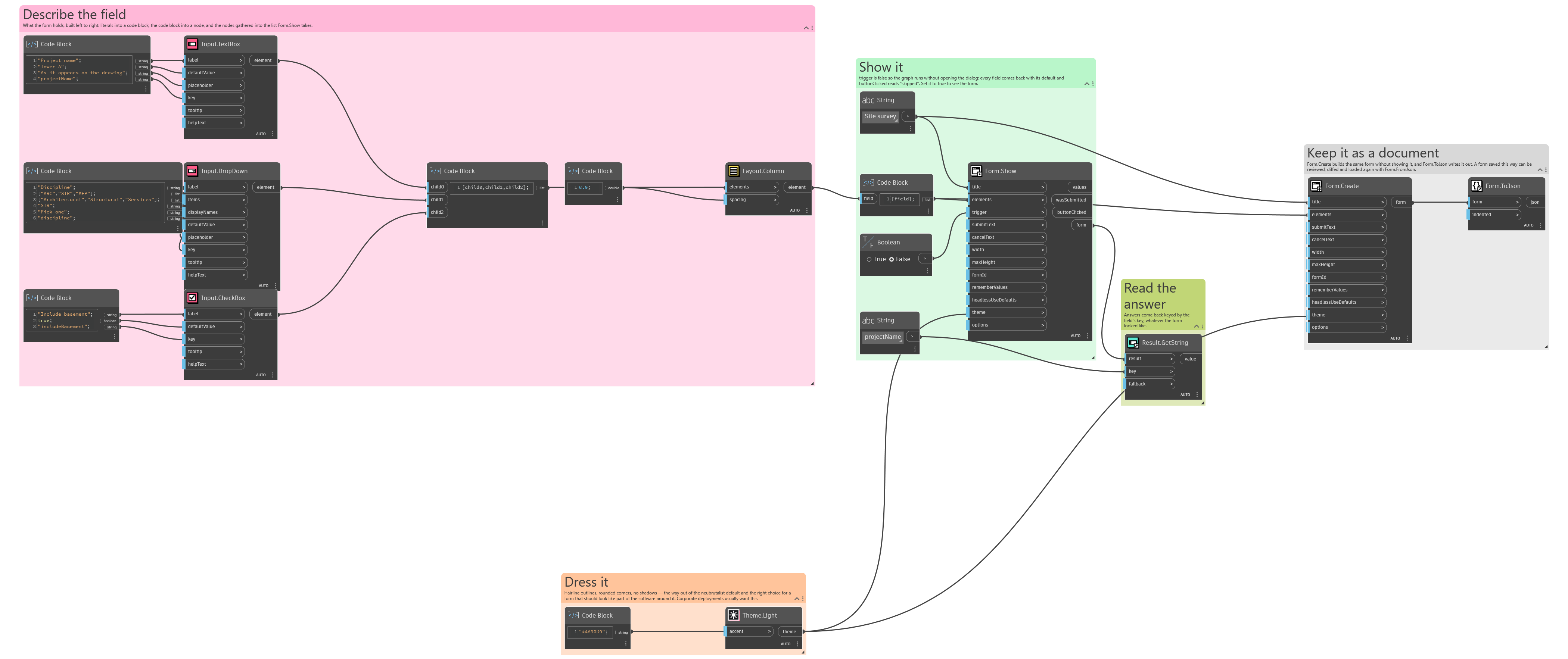
An example graph ships beside this page: Interlude.Theme.Light.dyn
The form it builds: