Interlude.Compute.Format
In Depth
Compute.Format(template)
Fills field values into a template: "Hello {firstName} {lastName}". Write a literal brace by doubling it.
A placeholder may carry a .NET format specifier after a colon, which is usually what stands between a template and something worth showing someone: {sequence:000} pads to three digits, {total:F2} fixes two decimals, {due:yyyy-MM-dd} writes a date the way a file name wants it. Without one, numbers print the shortest form that round-trips, so a total of 546.0 reads "546" and 0.1 + 0.2 reads "0.30000000000000004".
To show the result on the form rather than store it, Layout.Preview takes a template directly and needs neither this node nor a field to put the answer in.
The inputs are:
template(string) — The text, with field keys in braces.
Returns computation — The computation.
Search terms: format, template, interpolate, text, concat, string.
About the Compute nodes
Values worked out from other answers, for use with Behavior.WithComputed.
A computed field is driven by the form rather than by the user: it recalculates whenever anything it reads changes, in dependency order, so a total built on a subtotal is always consistent. Computed values that depend on each other in a loop are rejected when the form is built, before a window appears.
Example File
An example graph ships beside this page: Interlude.Compute.Format.dyn

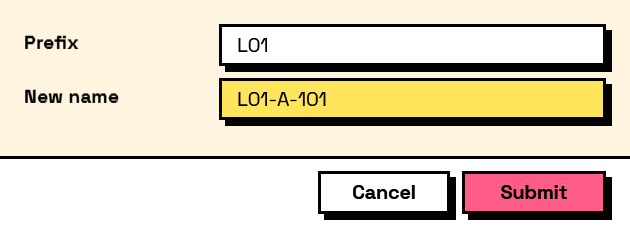
The form it builds: