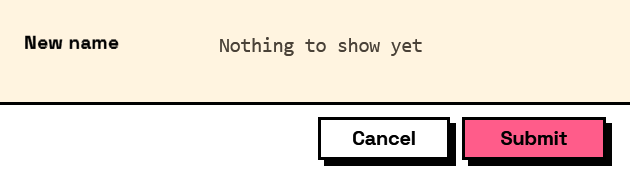
Interlude.Layout.Preview
In Depth
Layout.Preview(label, value, placeholder: "", monospaced: false)
A value the form works out and shows back, live, as the fields it reads are edited.
value is usually a template — "{prefix}{sample_name}{suffix}" — where each name in braces is a field's key. It also accepts any Compute node, for a preview that has to choose between two forms:
Layout.Preview("New name", Compute.If(Condition.IsChecked("add_number"), Compute.Format("{prefix}{sample_name} {start_number:000}"), Compute.Format("{prefix}{sample_name}")))
A placeholder may carry a format specifier after a colon: {start_number:000} pads to three digits, {total:F2} fixes two decimals, {due:yyyy-MM-dd} writes a date the way a file name wants it.
A preview answers nothing. It has no key, never appears in a form's results, and is never validated — which is what separates it from a read-only field carrying a computed value. Reach for that instead when you need the value back out of the form.
Everything a preview shows must already be on the form. Interlude knows nothing about the items a graph is about to work on, so a form renaming fifty views previews one sample name the author supplies — most naturally as the default value of a field the user can edit, which doubles as a way to try the rule against an awkward name.
The inputs are:
label(string) — The caption, shown in the same column as the fields' labels.value(object) — A template string, or a computation from theComputenodes.placeholder(string, defaults to"") — Shown while the value is empty.monospaced(boolean, defaults tofalse) — Render in a fixed-width face, for names, codes and paths.
Returns element — The form element.
Search terms: preview, live, derived, computed, summary, result, format, template.
About the Layout nodes
Arranging and decorating a form: sections, rows, grids, tabs, and the elements that show something rather than ask something.
Every container takes a list of elements. None of them has a single-element overload, on purpose: with both available, a graph that passes one element to a list port gets replication instead of a container, and produces N containers of one child each rather than one container of N. Pass a list, even a list of one.
Example File
An example graph ships beside this page: Interlude.Layout.Preview.dyn
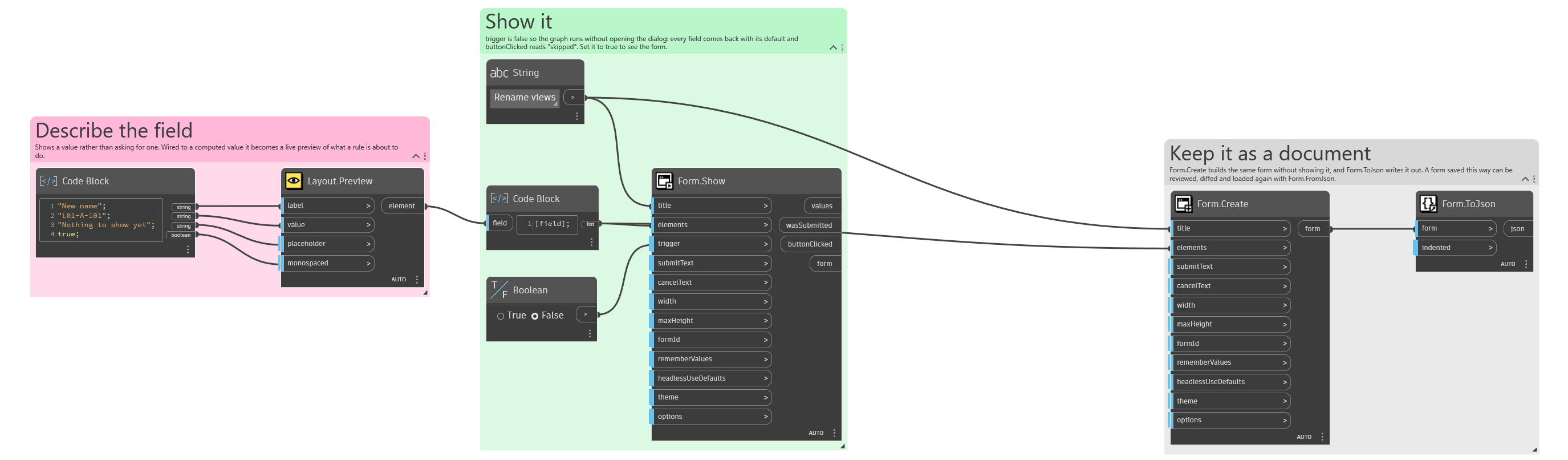
The form it builds: