Interlude.Form.ToJson
In Depth
Form.ToJson(form, indented: true)
Writes a form to JSON, so it can be saved, reviewed and shared as a document.
The inputs are:
form(FormDefinition) — The form to write.indented(boolean, defaults totrue) — Format for reading rather than for size.
Returns json — The form as JSON.
Search terms: json, serialize, save, export, write.
About the Form nodes
Showing a form and getting the answers back.
A note on re-execution, because it surprises everyone once: Dynamo re-runs a graph whenever anything upstream changes, and a node that shows a dialog will show it again. Interlude does not pretend otherwise — it gives you the tools to control it. The trigger port skips the dialog and returns the last answers when it is false, so a form can be gated behind a button or a boolean. A form already on screen is never opened twice: a second execution waits for the first window and returns its result rather than stacking dialogs. And Manual run mode remains the right setting for any graph built around a form.
Example File
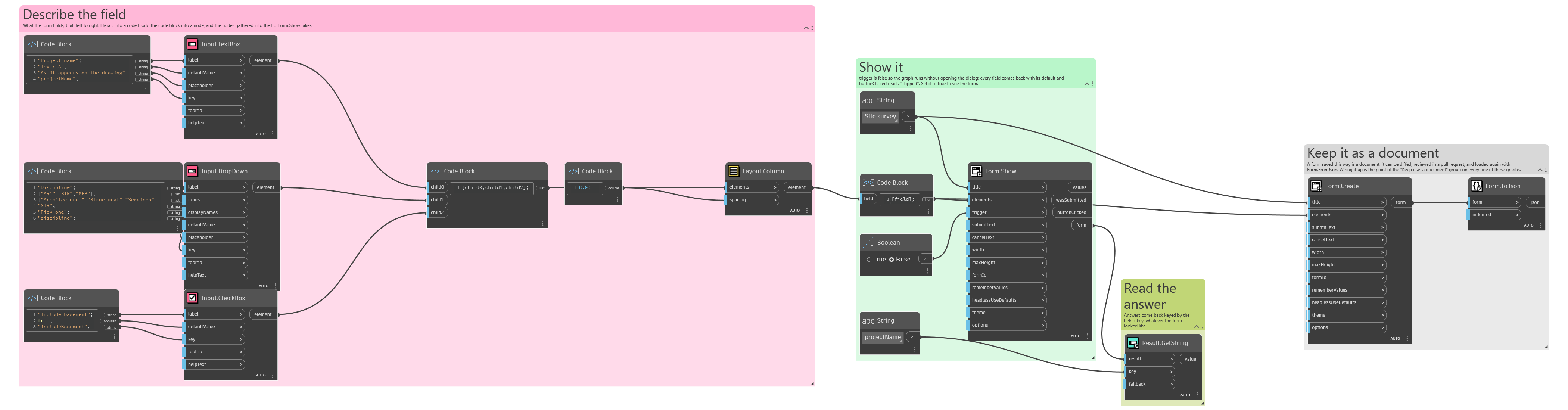
An example graph ships beside this page: Interlude.Form.ToJson.dyn
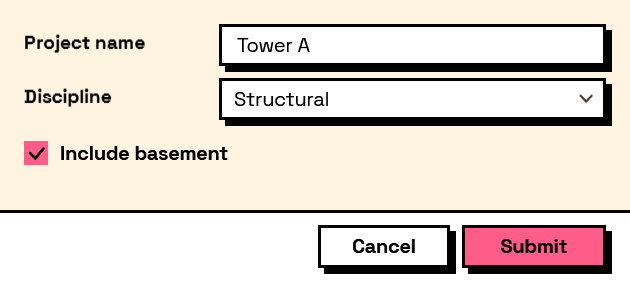
The form it builds: