Interlude.Layout.Column
In Depth
Layout.Column(elements, spacing: -1)
Elements stacked top to bottom.
This is what a form already does with the elements handed to Form.Show, so a column at the top level changes nothing. It earns its place inside something else: one pane of a Layout.Split, one cell of a Layout.Grid, one side of a Layout.Row — anywhere a single slot has to hold several elements.
The inputs are:
elements(list of FormElement) — What goes inside.spacing(number, defaults to-1) — Gap between elements. Negative uses the theme's spacing.
Returns element — The form element.
Search terms: column, vertical, vstack, stack.
About the Layout nodes
Arranging and decorating a form: sections, rows, grids, tabs, and the elements that show something rather than ask something.
Every container takes a list of elements. None of them has a single-element overload, on purpose: with both available, a graph that passes one element to a list port gets replication instead of a container, and produces N containers of one child each rather than one container of N. Pass a list, even a list of one.
Example File
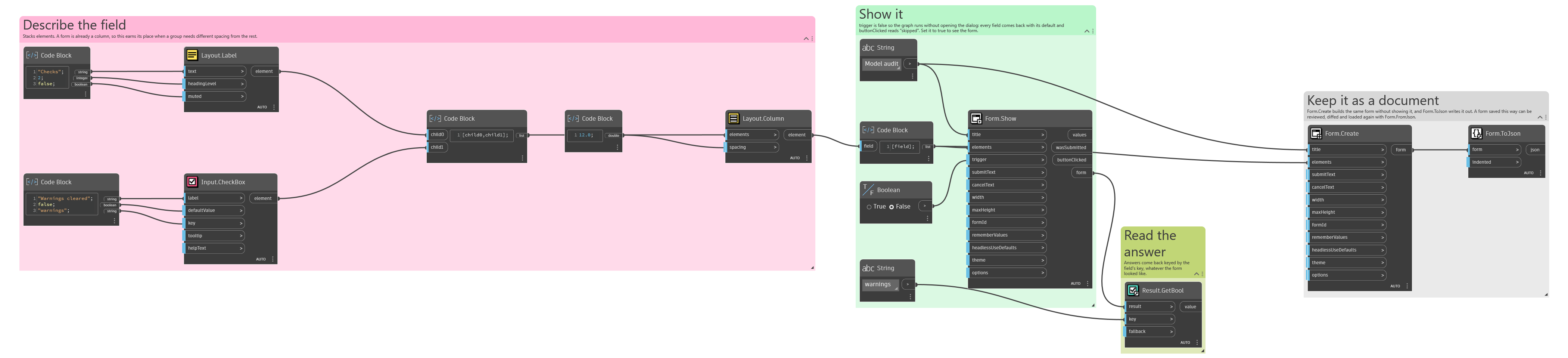
An example graph ships beside this page: Interlude.Layout.Column.dyn
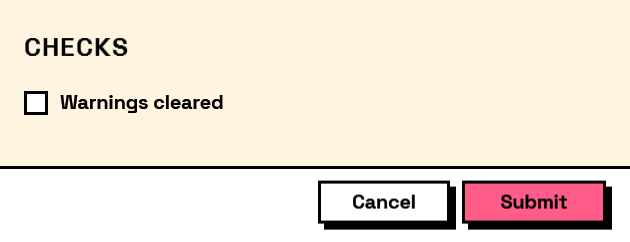
The form it builds: