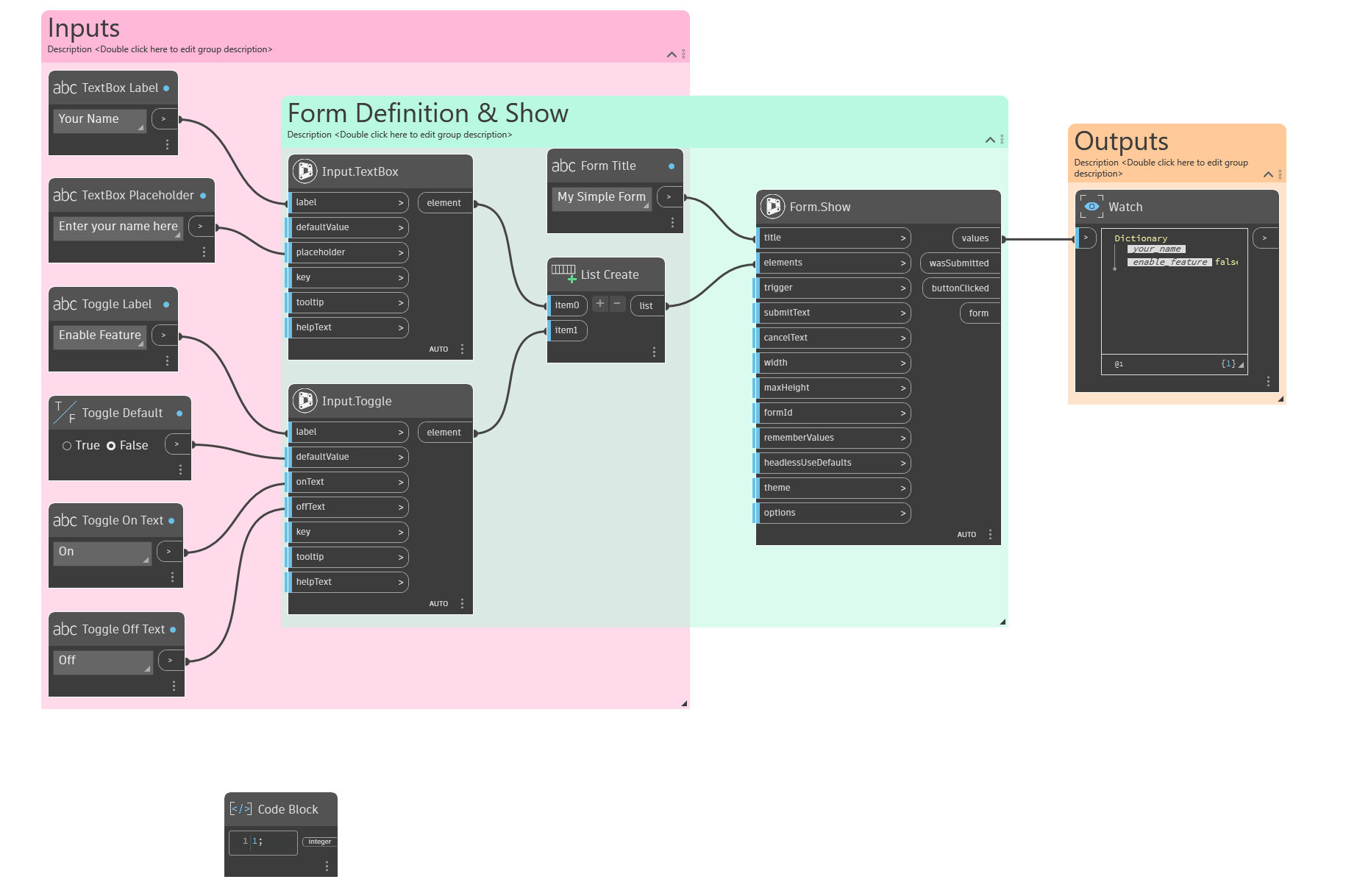
Interlude.Form.Show
In Depth
Form.Show(title, elements, trigger: true, submitText: "Submit", cancelText: "Cancel", width: 420, maxHeight: 800, formId: "", rememberValues: true, headlessUseDefaults: false, theme: null, options: null)
Shows a form and waits for the user to answer it.
Cancelling returns every field's default value rather than nulls, with wasSubmitted false. Check wasSubmitted before acting on the answers; you never need to null-check the values themselves.
The inputs are:
title(string) — Shown in the window's title bar.elements(list of object) — The form's contents, built with the Input and Layout nodes.trigger(object, defaults totrue) — Set to false to skip the dialog and return the last answers for this form. Anything else, including true, shows it. Doubles as a sequencing input.submitText(string, defaults to"Submit") — Caption of the confirm button.cancelText(string, defaults to"Cancel") — Caption of the cancel button.width(number, defaults to420) — Window width in pixels.maxHeight(number, defaults to800) — Height at which the form starts scrolling.formId(string, defaults to"") — Identifies this form across runs, for remembered answers. Derived from the title and field keys when empty.rememberValues(boolean, defaults totrue) — Pre-fill the form with the last answers it was submitted with.headlessUseDefaults(boolean, defaults tofalse) — What to do with no user interface, as in a command-line or scheduled run. False stops the graph with an explanation; true returns every field's default.theme(object, defaults tonull) — Built with the Theme nodes. Null uses the system theme.options(object, defaults tonull) — Built with Form.Options, for the less common settings.
The outputs are:
values— The answers, keyed by field.wasSubmitted— True when the user confirmed rather than cancelled.buttonClicked— Which button ended the form.form— The full result, for the Result nodes.
Search terms: form, show, dialog, ui, prompt, ask, input, data shapes.
About the Form nodes
Showing a form and getting the answers back.
A note on re-execution, because it surprises everyone once: Dynamo re-runs a graph whenever anything upstream changes, and a node that shows a dialog will show it again. Interlude does not pretend otherwise — it gives you the tools to control it. The trigger port skips the dialog and returns the last answers when it is false, so a form can be gated behind a button or a boolean. A form already on screen is never opened twice: a second execution waits for the first window and returns its result rather than stacking dialogs. And Manual run mode remains the right setting for any graph built around a form.
Example File
An example graph ships beside this page: Interlude.Form.Show.dyn