Interlude.Condition.Matches
In Depth
Condition.Matches(key, pattern, ignoreCase: false)
True when the field's answer matches a regular expression.
For steering a form on the shape of an answer rather than its exact value — revealing the sheet-number options only once the prefix looks like a real prefix.
Unanchored patterns match anywhere in the text; add ^ and $ when the whole answer has to match. This is the Condition-side twin of Rule.Regex: use that one to stop a form being submitted, this one to change what the form shows.
The inputs are:
key(string) — The field to read.pattern(string) — A .NET regular expression.ignoreCase(boolean, defaults tofalse) — Ignore letter case when matching.
Returns condition — The condition.
Search terms: matches, regex, pattern, expression.
About the Condition nodes
Tests over a form's own answers, for use with the Behavior nodes.
Conditions name the field they read by its key — the same key the answer appears under in the results. They are re-evaluated whenever that field changes, so a form's behaviour is described once, declaratively, rather than wired up event by event.
Comparisons are type-aware: numbers compare numerically even when typed as text, lists compare element by element, and text comparison is case-sensitive unless ignoreCase says otherwise.
Example File
An example graph ships beside this page: Interlude.Condition.Matches.dyn

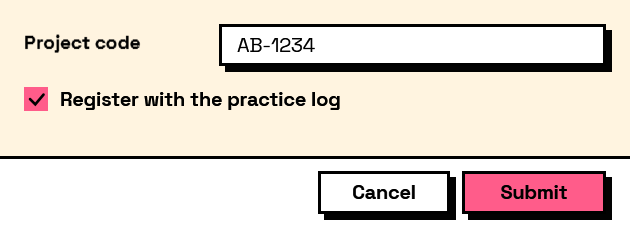
The form it builds: