Interlude.Rule.Regex
In Depth
Rule.Regex(pattern, message: "", ignoreCase: false)
The field's text must match a regular expression.
For codes with a shape: "^[A-Z]{3}-[0-9]{4}$" for ABC-1234. Anchor it with ^ and $ unless you mean "contains" — an unanchored pattern matches anywhere in the text, so without them "ABC-1234-oops" passes.
Always give a message. The pattern is not shown to the user, and "invalid" tells somebody staring at a text box nothing they can act on; "Use the form ABC-1234" tells them exactly what to type.
An empty field passes, as with every rule but Rule.Required. Pair the two when the field is both mandatory and shaped.
The inputs are:
pattern(string) — A .NET regular expression.message(string, defaults to"") — Wording shown when it does not match.ignoreCase(boolean, defaults tofalse) — Ignore letter case when matching.
Returns rule — The rule.
Search terms: regex, pattern, format, matches, expression.
About the Rule nodes
Checks applied to a field's answer, for use with Behavior.WithValidation.
Rules run as the user types and block submission while any of them fails. A rule on a field the user cannot see is never applied — a hidden field can never stop a form being submitted, which would otherwise mean an error with no control to fix it.
Except for Rule.Required, every rule passes on an empty field. Emptiness is Behavior.Required's business, so an optional field with a range on it stays optional.
Example File
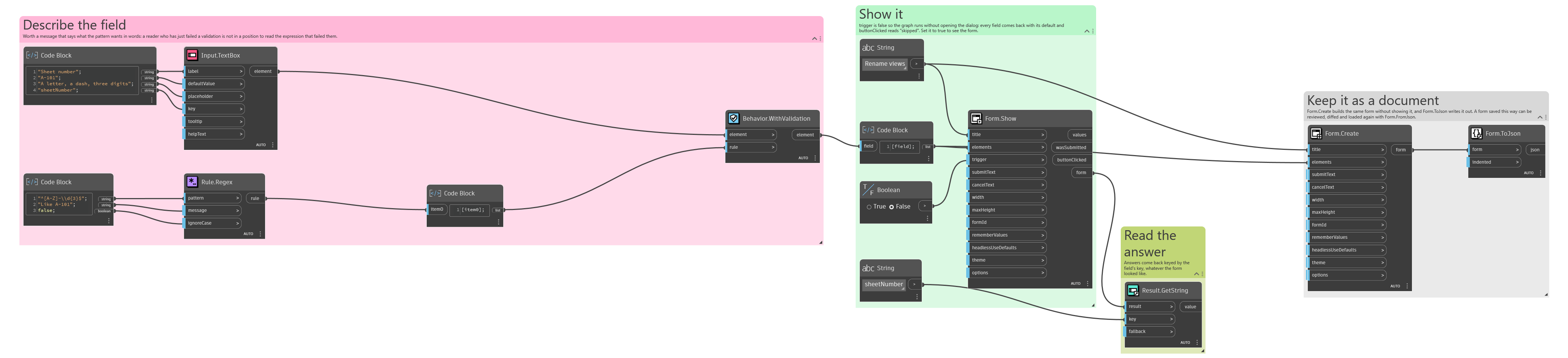
An example graph ships beside this page: Interlude.Rule.Regex.dyn
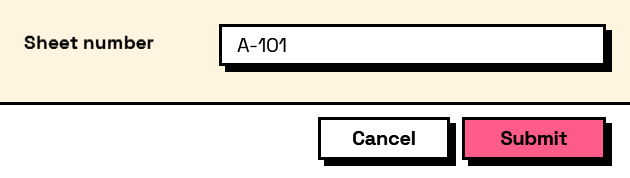
The form it builds: