Interlude.Layout.Grid
In Depth
Layout.Grid(elements, columns: "*, *", columnSpacing: -1, rowSpacing: -1)
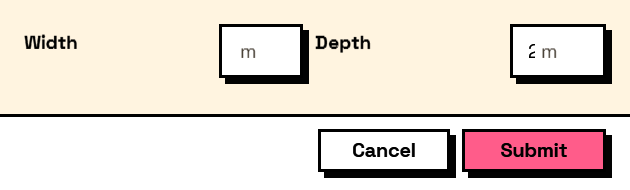
Elements arranged in a grid. Columns are described as a comma-separated list, where auto sizes to content, * takes a share of the leftover space, 2* takes two shares, and a plain number is a pixel width: "auto, *, 120".
Elements fill the grid in order unless they were placed with Layout.Cell.
The inputs are:
elements(list of FormElement) — What goes inside.columns(string, defaults to"*, *") — Column widths, comma separated.columnSpacing(number, defaults to-1) — Gap between columns. Negative uses the theme's spacing.rowSpacing(number, defaults to-1) — Gap between rows. Negative uses the theme's spacing.
Returns element — The form element.
Search terms: grid, table, columns, rows, layout.
About the Layout nodes
Arranging and decorating a form: sections, rows, grids, tabs, and the elements that show something rather than ask something.
Every container takes a list of elements. None of them has a single-element overload, on purpose: with both available, a graph that passes one element to a list port gets replication instead of a container, and produces N containers of one child each rather than one container of N. Pass a list, even a list of one.
Example File
An example graph ships beside this page: Interlude.Layout.Grid.dyn

The form it builds: