Interlude.Form.Create
In Depth
Form.Create(title, elements, submitText: "Submit", cancelText: "Cancel", width: 420, maxHeight: 800, formId: "", rememberValues: true, headlessUseDefaults: false, theme: null, options: null)
Builds a form without showing it, for saving to JSON or for showing later.
Splitting building from showing is what makes a form a document. Build it here, write it with Form.ToJson, and the definition can be reviewed in a pull request, diffed between releases and loaded by a graph that did not build it.
It is also the way to check a form without a window appearing: feed the result to Form.Check. Nothing is drawn and nothing is remembered until it reaches Form.ShowDefinition.
The inputs are:
title(string) — Shown in the window's title bar.elements(list of object) — The form's contents, built with the Input and Layout nodes.submitText(string, defaults to"Submit") — Caption of the confirm button.cancelText(string, defaults to"Cancel") — Caption of the cancel button.width(number, defaults to420) — Window width in pixels.maxHeight(number, defaults to800) — Height at which the form starts scrolling.formId(string, defaults to"") — Identifies this form across runs.rememberValues(boolean, defaults totrue) — Pre-fill with the last answers.headlessUseDefaults(boolean, defaults tofalse) — Return defaults instead of stopping when there is no UI.theme(object, defaults tonull) — Built with the Theme nodes.options(object, defaults tonull) — Built with Form.Options.
Returns form — The form definition.
Search terms: form, create, build, definition, template.
About the Form nodes
Showing a form and getting the answers back.
A note on re-execution, because it surprises everyone once: Dynamo re-runs a graph whenever anything upstream changes, and a node that shows a dialog will show it again. Interlude does not pretend otherwise — it gives you the tools to control it. The trigger port skips the dialog and returns the last answers when it is false, so a form can be gated behind a button or a boolean. A form already on screen is never opened twice: a second execution waits for the first window and returns its result rather than stacking dialogs. And Manual run mode remains the right setting for any graph built around a form.
Example File
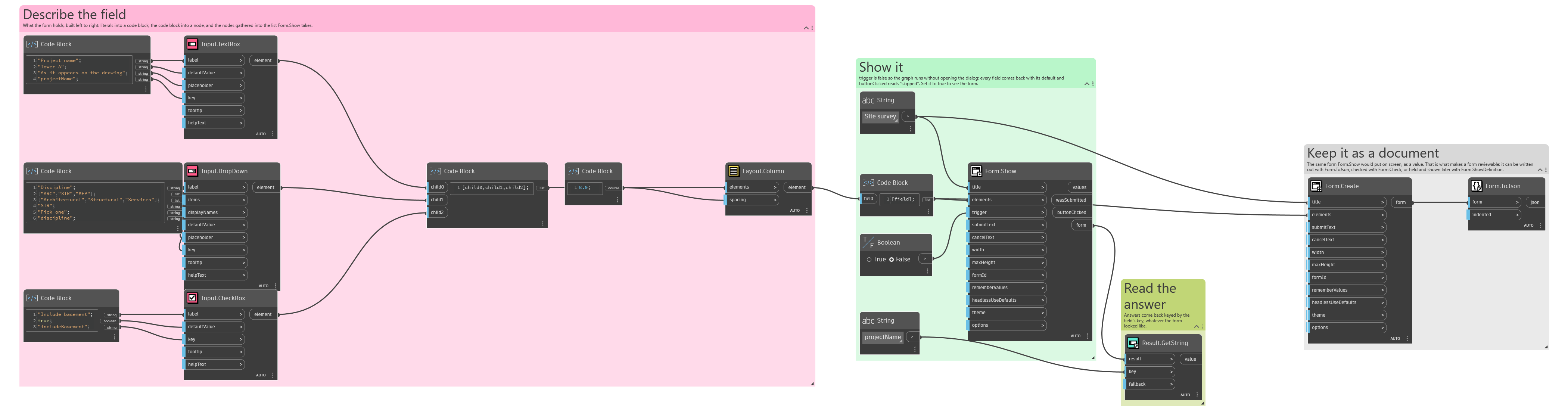
An example graph ships beside this page: Interlude.Form.Create.dyn
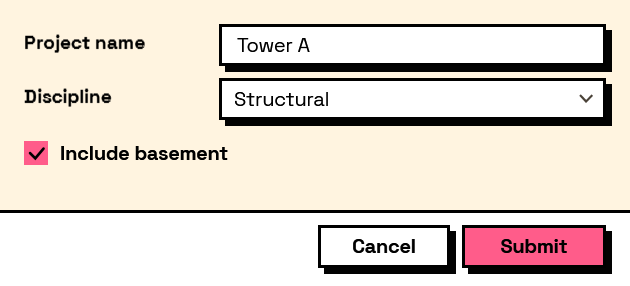
The form it builds: