Interlude.Layout.Progress
In Depth
Layout.Progress(value: 0, maximum: 100, indeterminate: false, segments: 0)
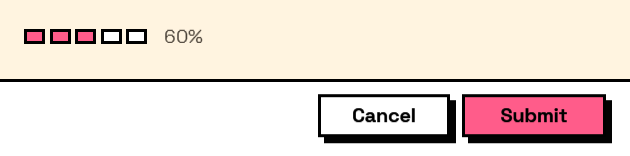
A progress bar showing a fixed value.
Read that twice before using it. Nothing in the form moves this bar: a form runs while the graph waits, so there is no work going on behind it to report. It is for showing a figure that was already worked out — twelve of twenty sheets issued, sixty per cent of the budget spent — and for that it is a clearer picture than the number alone.
It is not a way to show a long operation running. That happens after the form closes, when there is no form left to draw in.
segments above zero draws discrete cells instead of a continuous fill, and cells fill by rounding — five of seven days is five whole cells, because a part-filled cell invites the reader to wonder what a partial day was. Use it for counting, and the continuous bar for measuring.
The inputs are:
value(number, defaults to0) — How far along, between 0 and the maximum.maximum(number, defaults to100) — The value that counts as complete.indeterminate(boolean, defaults tofalse) — Show a looping animation instead of a fixed amount.segments(integer, defaults to0) — Draw the bar as this many discrete cells rather than one continuous fill. Zero is continuous. Segments are for counting rather than measuring: "five of seven days" reads off a segmented bar at a glance, where a continuous bar at 71% does not.
Returns element — The form element.
Search terms: progress, bar, percent, loading, segments, steps.
About the Layout nodes
Arranging and decorating a form: sections, rows, grids, tabs, and the elements that show something rather than ask something.
Every container takes a list of elements. None of them has a single-element overload, on purpose: with both available, a graph that passes one element to a list port gets replication instead of a container, and produces N containers of one child each rather than one container of N. Pass a list, even a list of one.
Example File
An example graph ships beside this page: Interlude.Layout.Progress.dyn
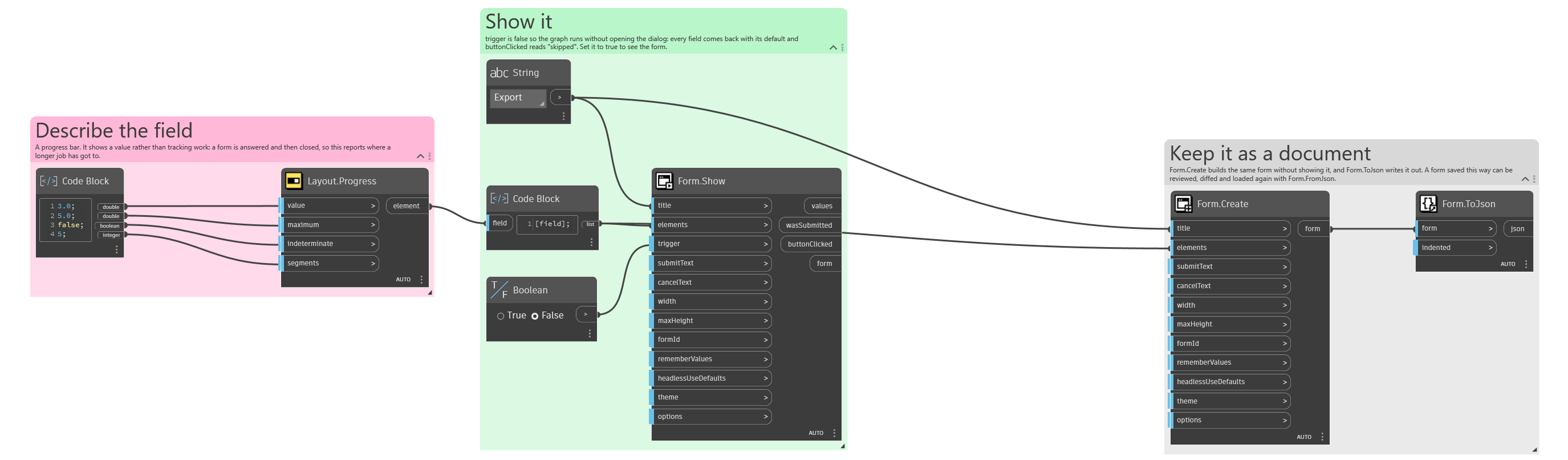
The form it builds: